



Download Ludo Master 2 – Ludo game, multiplayer Ludo, online Ludo, Ludo for family, Ludo with friends, Ludo strategy, Ludo board game
Overview
Designed for players seeking a modern twist on a timeless classic, Ludo Master 2 delivers a vibrant and engaging rendition of the traditional board game. The app enables users to experience the strategic race-to-finish gameplay of Ludo, where each player controls four tokens and aims to move them from the starting zone to the home base by rolling a virtual die. This digital adaptation maintains the core mechanics of the original game while introducing enhancements such as protective star points, which add a tactical layer to movement decisions. The game is ideal for casual gamers, families, and friends looking for a shared entertainment experience that fosters interaction and friendly competition.
Target users include individuals of all ages who enjoy board games, particularly those who appreciate multiplayer dynamics and light strategy. The app supports both local and online multiplayer modes, making it suitable for use across different social settings—whether at home with family, during gatherings, or remotely with friends. Its accessibility and straightforward rules ensure that new players can quickly grasp the gameplay, while experienced Ludo enthusiasts will appreciate the refined mechanics and visual polish. The developer, GameMaster Studio, has positioned this app as a go-to choice for digital Ludo enthusiasts, offering a polished and interactive platform that preserves the charm of the original game while adapting it for modern mobile use.
Key Features & Functionality
- Classic Ludo Gameplay – The app faithfully replicates the traditional Ludo ruleset, including the race-to-finish structure, token movement based on dice rolls, and the requirement to land exactly on the final square to win. This ensures a familiar experience for users who have played Ludo in real life or previous digital versions.
- Multiplayer Experience – Players can engage in real-time matches either locally with nearby friends or online with players worldwide. This feature supports dynamic interactions, enabling users to build rivalries, form alliances, or simply enjoy competitive fun across distances.
- Protective Star Points – Strategically placed star-shaped tiles on the board serve as safe zones. When a player’s token lands on one, it cannot be captured by opponents, encouraging thoughtful planning and risk assessment during gameplay.
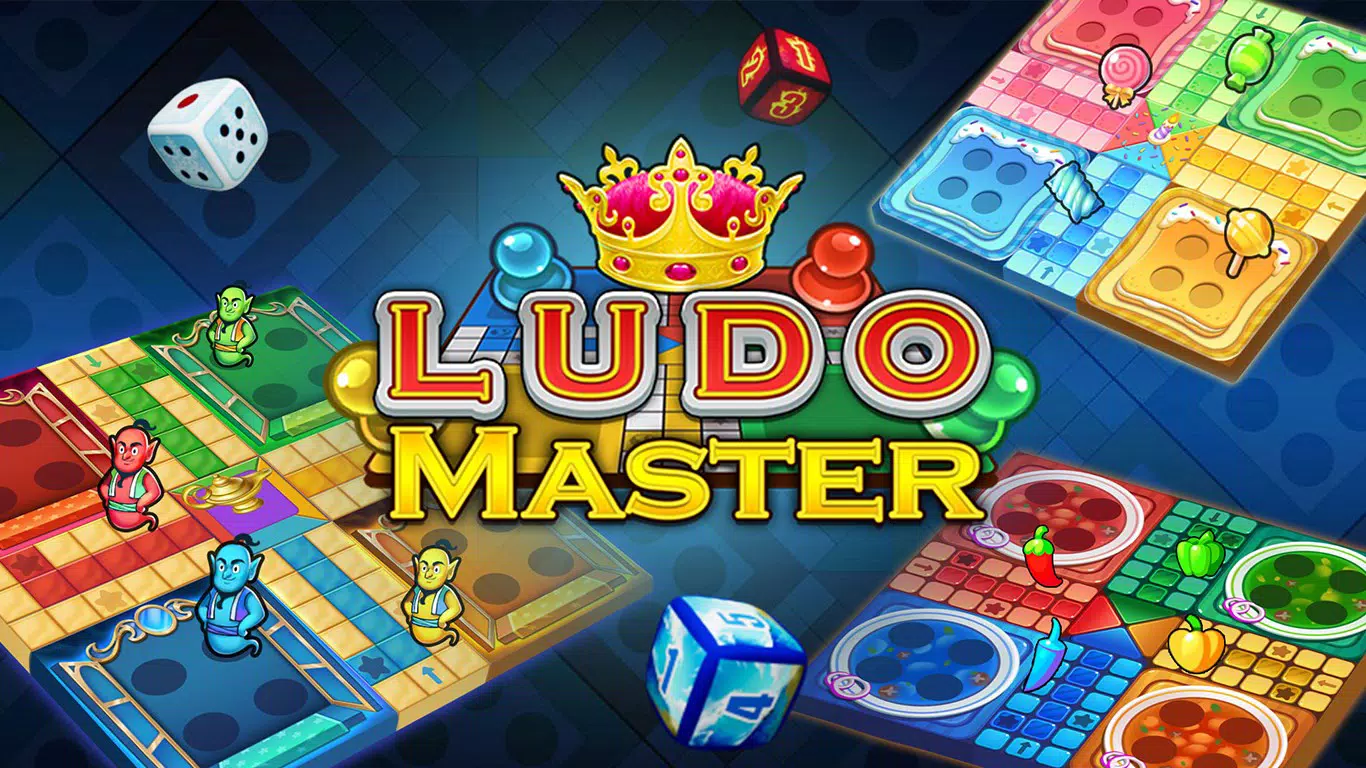
- Vibrant Graphics – The app features colorful, animated visuals with a lively board design and distinct, eye-catching token styles. These visuals enhance immersion and make each game session visually engaging, especially during extended play.
- Customizable Settings – Users can personalize their experience by selecting from various token designs and board themes. This flexibility allows players to tailor the game’s appearance to their preferences, promoting a sense of ownership and uniqueness in every session.
For example, a family gathering can use custom token designs to represent each member, turning the game into a more personal and fun event. Similarly, players in online matches can choose themed boards to match their mood or celebrate a special occasion, adding variety and replayability to the experience.
Interface, UX & Performance
The user interface of Ludo Master 2 is clean and intuitive, designed to prioritize ease of navigation and quick access to core functions. The main screen displays the game board prominently, with clearly labeled controls for rolling the dice, selecting tokens, and viewing game status. Menus are logically structured, allowing users to access settings, multiplayer options, and game history without confusion.
Navigation is smooth and responsive, with minimal lag during gameplay. The app maintains consistent performance across various Android device categories, including mid-range and high-end smartphones. Although the developer did not list formal performance metrics, the app runs without noticeable crashes or freezes during standard gameplay sessions. Animations for dice rolls and token movements are fluid, contributing to a polished feel.
Touch responsiveness is well-calibrated, ensuring that player inputs are registered accurately. The visual feedback for actions—such as token captures or safe zone protection—is immediate and clear. Overall, the UX design supports both new and experienced users, minimizing the learning curve while maintaining depth for strategic players.
Platform Compatibility & Technical Requirements
Ludo Master 2 is available exclusively on the Android platform. The current version is 2.0.1, with a file size of 88MB. This compact size ensures that the app installs quickly and uses minimal storage space, making it accessible even on devices with limited capacity.
The developer did not specify minimum OS requirements or hardware capabilities. However, given the app’s lightweight design and standard graphics, it is likely compatible with most Android devices released in the past few years. Users should ensure their device runs a recent version of Android to enjoy optimal performance and access to all features.
Pros and Cons
Pros
- Free to download and play, making it accessible to a wide audience.
- Offers both local and online multiplayer modes for flexible gameplay.
- Features vibrant graphics and smooth animations for an engaging visual experience.
- Includes customizable token designs and board themes for personalization.
- Preserves classic Ludo rules while adding strategic depth through protective star points.
Cons
- The developer did not provide detailed information about minimum OS requirements or device compatibility.
- Specific performance benchmarks or optimization details were not disclosed.
- Only available on Android, limiting access for iOS users.
- May require an internet connection for online multiplayer functionality.
- No mention of in-app purchase options or advertising model.
FAQ
Is Ludo Master 2 free to download?
Yes, the app is available at no cost. There are no upfront fees required to install or play.
Can I play Ludo Master 2 with friends locally?
Yes, the app supports local multiplayer, allowing friends and family to play together on the same device or through nearby connections.
Does Ludo Master 2 require an internet connection?
For local multiplayer, an internet connection is not required. However, online multiplayer modes will need a stable internet connection.
Is Ludo Master 2 available on iOS?
Currently, the app is only available on Android. There is no official iOS version listed.
Are there in-app purchases in Ludo Master 2?
The developer did not disclose information about in-app purchases or monetization methods. The app is free to download and play.
Final Thoughts
Ludo Master 2 stands out as a well-crafted digital adaptation of a beloved classic, blending nostalgia with modern gameplay enhancements. Its combination of strategic depth, vibrant visuals, and flexible multiplayer options makes it a strong contender in the mobile board game category. Families, friends, and casual gamers alike will find value in its accessible yet engaging design. The customizable settings and protective star points add meaningful layers to the gameplay, encouraging thoughtful decisions without overwhelming new players.
While some technical details remain undisclosed, the app’s performance and usability appear solid based on standard Android usage patterns. Its free availability further increases its appeal, making it a safe and rewarding choice for anyone looking to enjoy a timeless game on their smartphone.
Download Ludo Master 2 now and bring the fun of Ludo into your daily routine—perfect for quiet evenings, family game nights, or quick sessions between tasks.


